
 Attendance
Check-ins arrive in Attendance. Employee details and settings are sent to the terminals.
All terminals syncedSchedule, attendance and worked hours
Who’s working right now?
Our employee attendance terminals connect directly to Attendance for automated clock-in and clock-out. See attendance in real time, organise working patterns and shifts, and approve payroll-ready hours.
Wi-FiEvery terminal supports Wi-Fi, so you do not need to run a network cable to the door. For wired installations, Ethernet and PoE are supported too.

 Attendance Live operationAttendance
Check-ins arrive in Attendance. Employee details and settings are sent to the terminals.
All terminals synced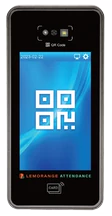 LEM 1009Paphos ResortSynced
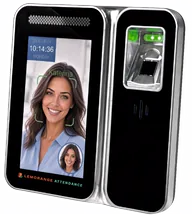 LEM Ai2Paphos ResortSynced
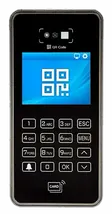 LEM 1008Limassol MarinaSyncedLEM Ai2Limassol MarinaSynced
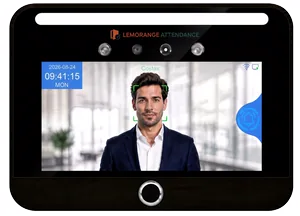 LEM Ai3Paphos ResortSynced
Sample data
An illustration of a check-in moving from a LEM 1009 terminal through a secure connection into Attendance, where the employee appears immediately. A second view shows complete terminals exchanging check-ins, people and settings with central Attendance. Additional views show live attendance, department rosters, shift requests, approved hours and terminal status.
QR attendance
An employee scans their QR code at the terminal and Attendance updates immediately. Arrivals keep moving, while managers see who is in without waiting for a manual update.
Attendance terminals
Seven clock-in and clock-out machines for employee time attendance, with optional access control. Every model stays synchronised in the same system. Compare QR, RFID card, PIN, NFC, face recognition and fingerprint support.
A 10.1″ face and fingerprint terminal for a lobby, with QR, RFID card, NFC and PIN.
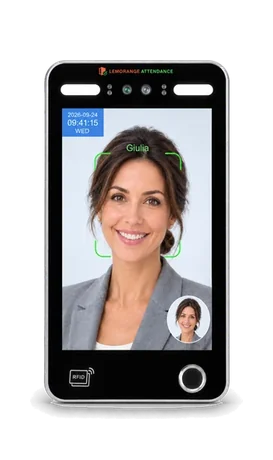
Authentication methods
A waterproof IP65 face and fingerprint terminal in an aluminium case, with QR, RFID card, NFC and PIN.
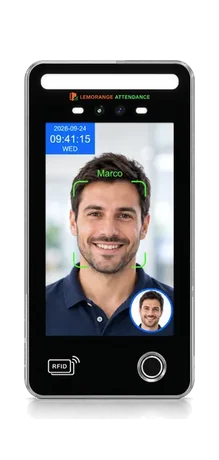
Authentication methods
An 8″ face terminal that recognises five people at once, with QR, RFID card, NFC and PIN.
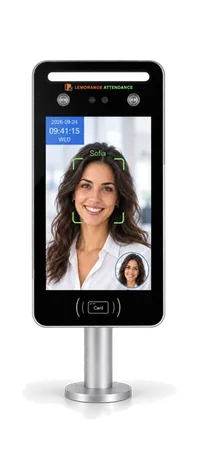
Authentication methods
Face recognition, dedicated QR scanning, RFID card, NFC and PIN.
Authentication methods
Contactless face recognition, with fingerprint, RFID card, NFC and PIN as alternatives.
Authentication methods
A 4″ touchscreen with NFC phone, QR, RFID card and PIN check-in.
Authentication methods
A small screen and numeric keypad for QR, RFID card, NFC or PIN check-in.
Authentication methods
The whole working day
Each manager organises their team’s schedule, employees receive updates and request changes on their phones, and every shift connects to actual attendance and final approved hours.
Each department manager sees their own team and builds a week or month using shift templates, simple drag-and-drop changes and bulk assignments.
For an open shift, the system ranks employees by availability, other duties, rest time, overtime risk, location and department.
An employee requests a change or shift swap from their phone. The manager reviews it before the schedule is updated.
Publishing the schedule notifies employees on their phones. A manager can also message one employee, a whole department or the entire workforce.
See who arrived, who is late, who is absent and who is working without a scheduled shift.
Each manager reviews exceptions and approves their team’s hours. Approved hours are locked and ready to export by employee and pay category.
Support without the runaround
Call us free from Cyprus. The same team that builds and installs Attendance will work through the issue with you, from the terminal at the door to the hours on screen.
From the first site visit to go-live
We document the entrances, available network, employee numbers and how you want attendance to be recorded.
We install the terminals and connect them over Wi-Fi, Ethernet or PoE to the Attendance core.
We configure locations, departments, shifts, attendance methods and manager permissions.
We test each method with you, train the managers and remain available for direct support.
HR and payroll integrations
Attendance does not require another system to work. When you want to automate the flow of data, it connects quickly to any HR or payroll system through file exchange, an API or a web service.
Tell us what you useEmployees, departments and the information Attendance needs arrive from the system your HR team already uses.
Managers review exceptions, correct missing records and approve the final hours for their teams.
Regular hours, overtime and pay codes are delivered in the format your payroll system expects.
Three practical ways to connect
Import or export in the format your system accepts.
A direct, automated exchange when an API is available.
A dedicated connection to SOAP or another system service.
Private deployment
Integration example
Attendance connects to Sofia HR and exports approved hours by file for CyCom Payroll.
How the CyCom integration worksLive attendance
Every arrival and departure appears immediately, with the employee, location, time and check-in method. Managers always know who is working at each site.
Sample data
An illustration of the Attendance dashboard: check-ins arriving across five Cyprus sites, each showing the employee, the site, the department and the method that verified them.
How people check in
Industries
Biometrics in Cyprus
Face and fingerprint identification must be assessed against the law and the proportionality requirement. For everyday attendance, Attendance supports QR, RFID cards, PIN and NFC without biometric data.
Attendance and time recording
Using biometrics for routine arrival and departure records is generally considered disproportionate. Attendance supports QR, RFID cards, PIN and NFC without collecting biometric data.
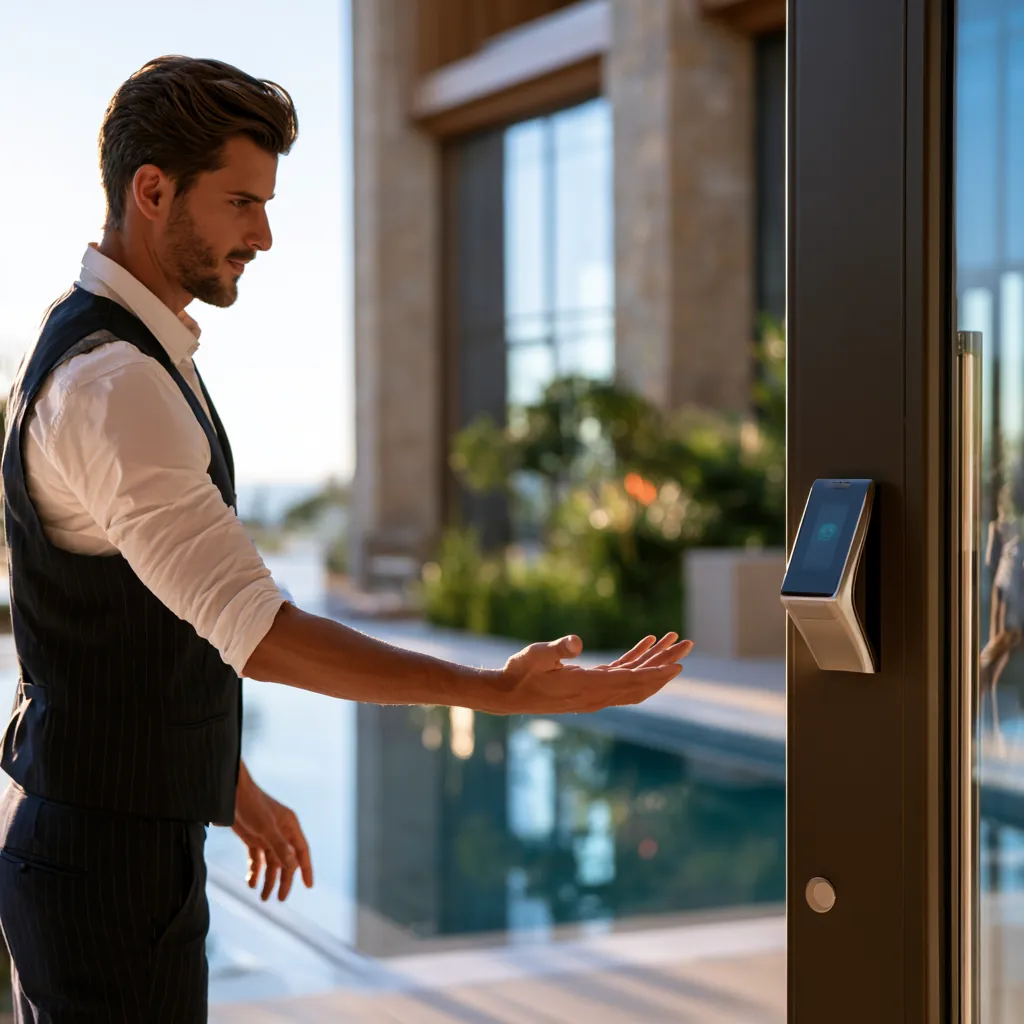
High-security access
At ports, airports, military facilities or other premises with a demonstrated high-security need, biometrics may be justified for physical access control. Working hours should remain a separate record.
GDPR

Your attendance data is stored in the EU. Our servers are in Helsinki, Finland, and backups stay in the EU.
Staff can ask from the phone app to see, correct, restrict, export or delete their data, or object to its use.
Managers see only the places and teams they are responsible for.
Every check-in is kept with whose it is and when. A manager’s correction is saved as a separate entry, with who made it and when, beside the original.
At a glance
Yes. Attendance works as a complete standalone system. If you already use HR or payroll software, it can connect through a file, API or web service to automate the flow of data.
See how the system worksQR, RFID card, NFC, PIN and smartphone check-in are supported on every model. LEM Ai8, Ai8 Pro, Ai10, Ai3 and Ai2 add face recognition; Ai8 Pro, Ai10 and Ai2 also read a fingerprint. Biometric methods are available only where their use is lawful and justified.
Compare attendance terminalsYes. Organisations that require a closed environment can run Attendance privately on their own infrastructure, with their network, servers and access under their control.
See the deployment optionsYes. All seven LEM models can operate together in the same environment and stay centrally synchronised across different entrances and locations.
View all modelsServing all of Cyprus
Attendance is a product of Lemorange Ltd. Serving all of Cyprus: Nicosia, Limassol, Larnaca, Paphos and Famagusta. Head office in Nicosia. The team that designs the software also handles installation, integrations and technical support across Cyprus.
Bring your sites, your departments, your shift patterns and how you check people in today. We will come prepared for that, rather than walk you through a feature list.