
For the door where a phone is the badge.
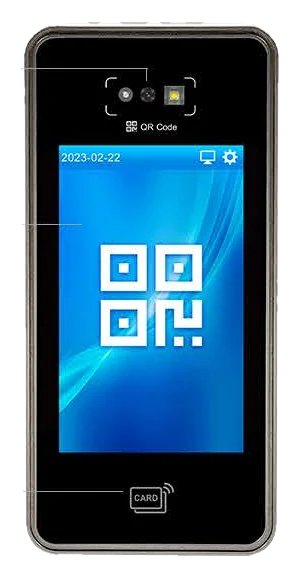
A four-inch touch terminal that takes a QR code off a screen, a card, an NFC phone or a PIN. No camera pointed at anybody, which on some doors and in some workforces is the reason to choose it.
Q9QR Code, NFC, RFID & PIN Time Attendance and Access Control
What this one is good at
Four ways in, no camera
QR, NFC, RFID card and PIN. Nothing is recorded of anybody's face, so the consent conversation is a short one and there is no biometric data to hold or justify.
The phone is the credential
A QR code on a screen works, and so does tapping an NFC phone. Staff who lose cards stop losing cards, and a new starter can be working before a card is printed.
Visitor and server codes
It reads card QR codes, visitor QR codes and codes minted by the server. A contractor gets a code for the morning without going on the payroll or holding a card.
100,000 of everything
A hundred thousand users, a hundred thousand cards, a hundred thousand passwords, and a million events in the local log. This is not a terminal you outgrow.
165 × 80 mm
Narrow enough for a door frame or a turnstile post, where a square face terminal will not go. Four-inch colour screen on the front of it.
HID as an option
HID PROX and iCLASS are available, which matters if the building already runs HID and you would rather not reissue every card in it.
With Attendance
The door happens, and it is in the software.
This is not a terminal you buy and then find an export routine for. It is integrated with Attendance at attendance.cy, and a punch at this door is in the live view before the person has finished walking through it.
Real time, not a poll interval
The gateway holds an open stream and pushes every event the instant it happens. No refresh, no five-minute wait, no "last synced at". Somebody checks in and the board has them.
Three layers, so nothing is lost
The push is the fast path. Behind it Attendance polls on a watermark with a five-minute overlap, and behind that the terminal keeps its own log: up to a million events. Cut the network for a week and every punch still arrives, carrying the time it was made.
Straight into hours, not a spreadsheet
The punch becomes a shift, the shift becomes hours, and the hours become an approved payroll batch: in one record, with the corrections attached to it. Nothing is re-keyed and nothing is reconciled by memory at the end of the month.
You can see the terminal itself
Online or not, when it was last seen, and whether collection is current or overdue: per unit, in the portal. A terminal that quietly stops reporting is visible the same day rather than when somebody queries a missing shift.
Right for
- Workforces where biometrics are a difficult conversation
- Door frames and turnstile posts too narrow for a face terminal
- Sites with contractors and visitors coming and going
- Buildings already running HID cards
Not right for
A door where people arrive with full hands. Everything here needs a deliberate action (a tap, a scan, a PIN), so if the point is not touching anything, the AI24F is the one.
Every angle
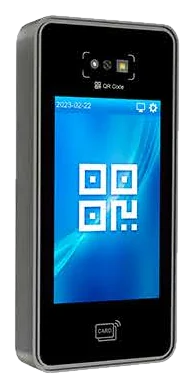
Three-quarter view 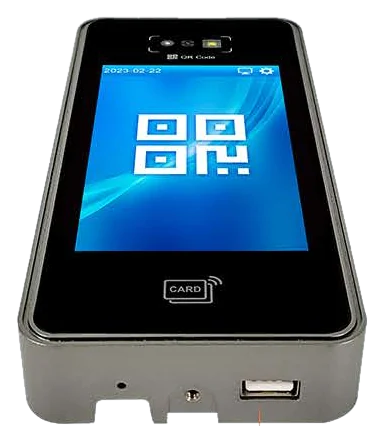
Base and USB port 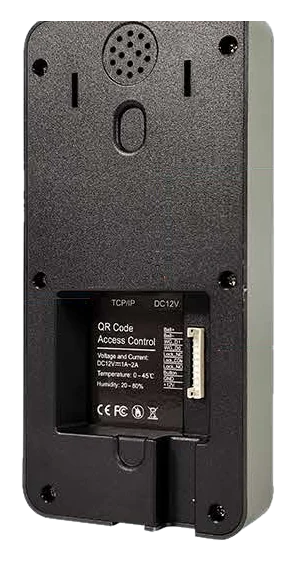
Rear: terminal block and USB
Specifications
Transcribed from the manufacturer's datasheet for the Q9. Where a sheet is silent, the row is absent rather than filled in from a sibling model.
Verification
- Methods
- QR code, NFC, RFID card, password
- QR types
- Card, visitor and server-minted codes
- Card options
- HID PROX and iCLASS available
Capacity
- Users
- 100,000
- Cards and QR codes
- 100,000
- Passwords
- 100,000
- Stored events
- 1,000,000
Hardware
- Screen
- 4″ colour screen
- Dimensions
- 165 × 80 × 25 mm
- Processor
- ARM Cortex-A7 800MHz, 0.8T NPU
- Memory
- 256MB DDR3 / 4GB eMMC
- Operating system
- Linux 4.19
Doors and wiring
- Lock output
- Yes
- Doorbell
- Output, and an external ring
- Wiegand
- Input and output
Power and network
- Power over Ethernet
- Supported One cable to the door: data and power on the same run, with no socket needed beside the frame. Confirmed by the manufacturer: the datasheets in circulation predate it and list only the DC supply.
- Backup battery
- Available The terminal keeps reading and keeps recording through a power cut, so the punches either side of it are still one shift. Confirmed by the manufacturer: this model's datasheet does not carry the row.
- DC power
- DC 12V 2A For a run with no PoE at the other end of it.
- Network
- Ethernet (TCP/IP), Wi-Fi optional, USB type-A
- Data transfer
- USB 2.0 host: import and export by USB stick
Attendance integration
- Live updates
- Real time, pushed The gateway holds an open stream and sends each punch the moment it happens. Somebody walks through the door and the live view has them, without a refresh and without a poll interval to wait out.
- If the network drops
- Nothing is lost The terminal keeps its own log, and Attendance polls the gateway on a watermark with a five-minute overlap. Reconnect and every punch made in the gap is imported, with its original time, not the time it arrived.
- Duplicate protection
- One punch, once The same event arriving by both push and poll is recognised as one punch, not two.
- Device health
- Online, last seen, collection state Shown per terminal in the portal, so a unit that has quietly stopped reporting is visible before somebody notices a missing shift.
- Verification status
- Integrated Integrated and carrying punches. It does not have the recorded seven-check certification the two face terminals do, and we would rather say so than blur it.
Environment
- Working temperature
- 0°C to +45°C
- Working humidity
- 20%-90%
- Languages
- 20, with voice prompts
The other three
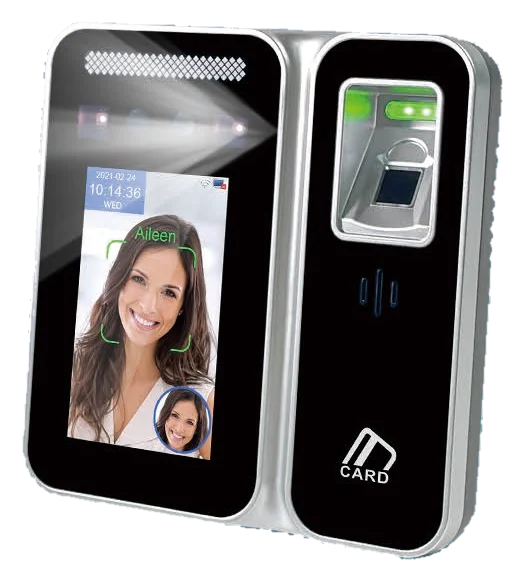 AI24F
AI24F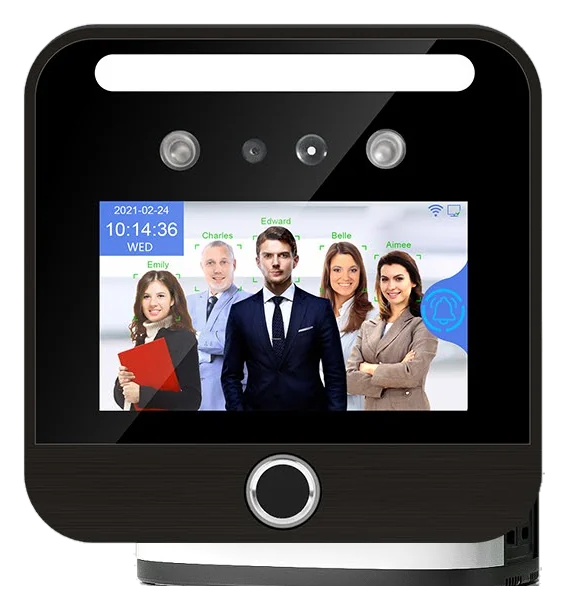 TM-AI03FP
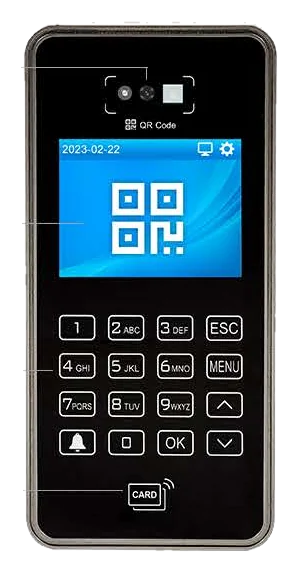 Q8
Q8The terminal is the part you can change your mind about.
Every one of these writes into the same record, so a site can run two models on two doors, or replace one in three years, without anything downstream noticing. What you are choosing here is how people get through a particular door, not a platform.
Talk about your doors